
The Developer Command Center, In Detail
codaflo.ai gives every project you manage a single, structured home. Here's what lives inside.
Secure Credential Vault
Three Google accounts. Two AWS profiles. Four GitHub logins. You try the wrong one first, every time. And your API keys? Scattered across .env files, a password manager, a browser tab, and your memory. The credential vault tracks which account goes with which project, stores every key encrypted, and puts it all one click away.
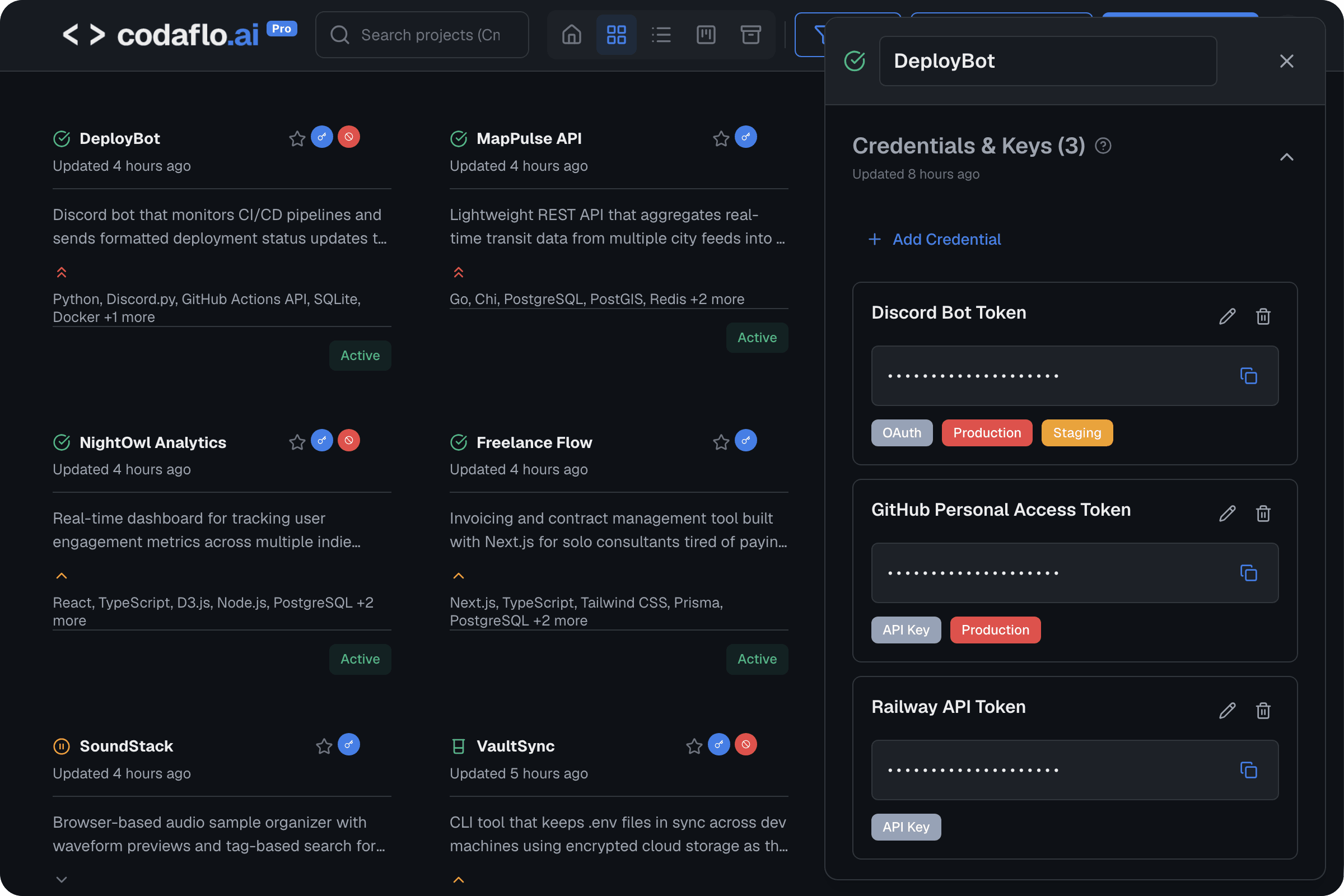

AES-256 Encryption
Every credential is encrypted at rest using AES-256, the same standard used by financial institutions. Your secrets are never stored in plaintext. The server never sees your raw credentials.
One-Click Copy
See a credential, click copy, paste into your terminal or config. No navigating through password manager vaults. No opening .env files. Under 10 seconds from thought to clipboard.
Environment Badges
Every credential is tagged with its environment: production, staging, or development. You always know which set of keys you're looking at. No more accidentally using production credentials in development.
Credential Organization
Categorize credentials by type: API keys, database passwords, OAuth tokens, SSH keys, reCAPTCHA keys, and more. Filter and search across all projects or within a single project.
Service Account Tracking
Track which email address, which Google account, which AWS profile you used for each service in each project. This is the problem password managers don't solve. They store passwords. codaflo.ai tracks which account goes where. Stop guessing. Stop trying the wrong account first.
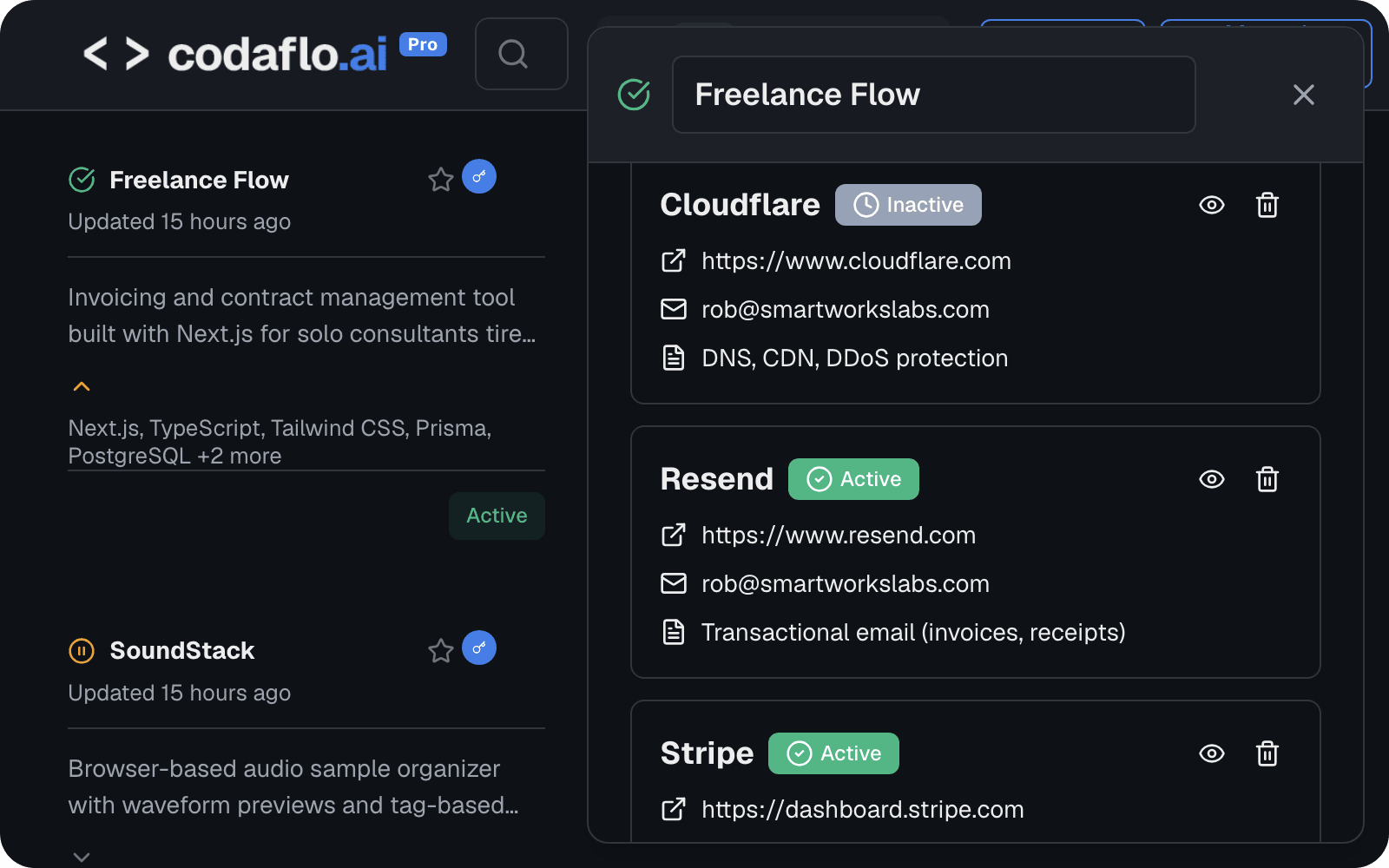
Per-Project Account Mapping
For every service in every project, track which email address and which account you used. Firebase on your personal Gmail? AWS on the company account? Stripe on the shared dev account? It is all recorded and one click away.
Provider and Status Tracking
See login URLs, account status, and purpose for each service account. Know at a glance which accounts are active, which need verification, and which Google account to log into before you start working.
Cross-Project Visibility
Find every project that uses a specific account. When you rotate credentials or change a service provider, see the full blast radius across your entire portfolio instantly.
Project Dashboard
Every project you are managing gets a structured home with eleven sections covering everything from technical architecture to business information. The dashboard gives you the overview. The detail view gives you everything else.
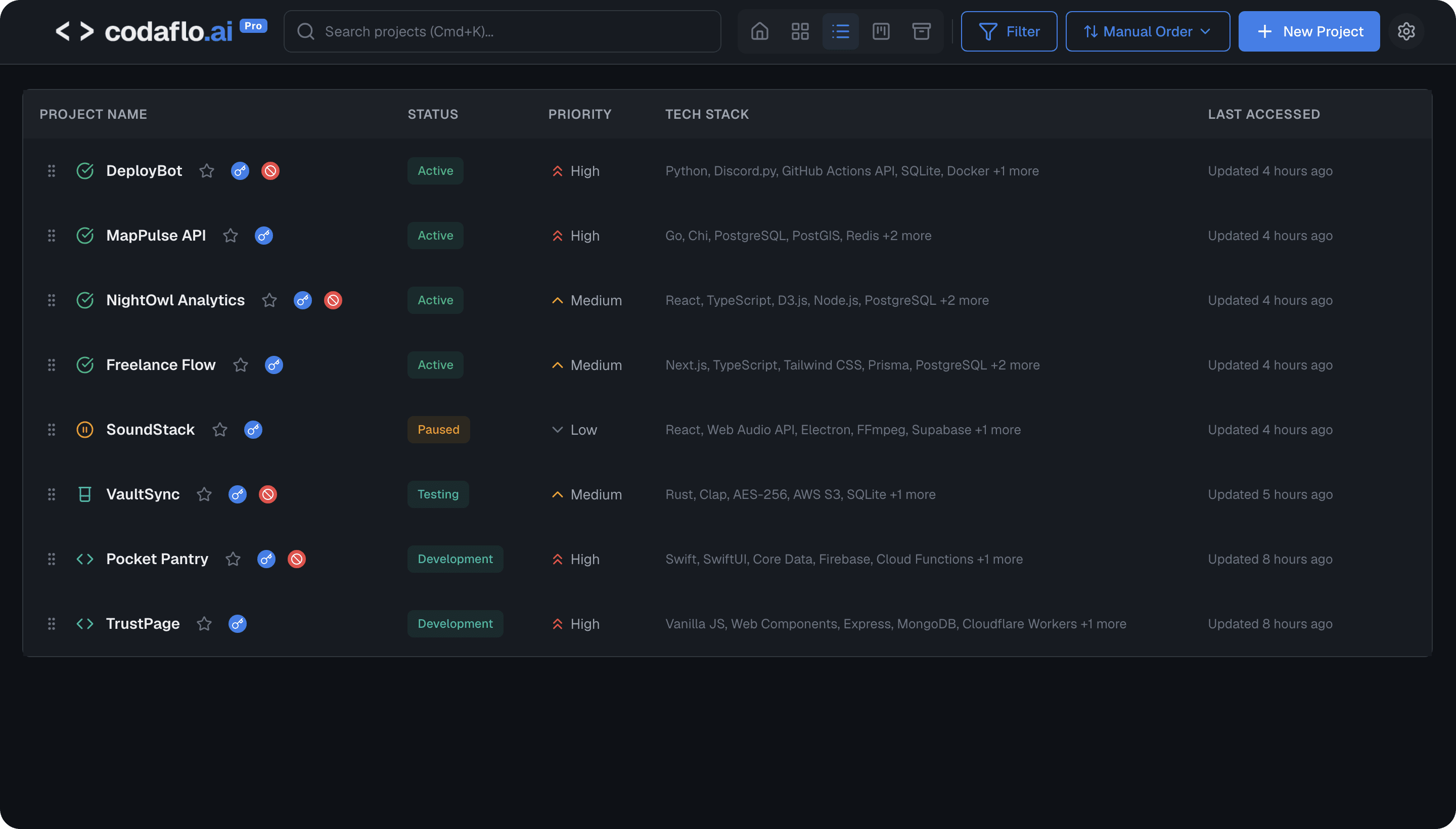
Project Detail Panel
Each project opens into a structured detail view with collapsible sections: identity, domain and deployment, technical architecture, service accounts, credentials, development sessions, blockers, tasks, documentation, notes, and business information.
Multiple Views
Tile view for a visual overview. List view for dense scanning. Kanban view for status-based organization. Switch between views with one click. Each view shows name, description, tech stack, priority, status, and last update.
Search and Filtering
Find any project instantly. Filter by status (active, paused, archived), priority (critical, high, medium, low), tech stack, or custom tags. Global search works across project names, descriptions, and tags.
Blockers and Next Actions
Track what is preventing progress and what needs to happen next. Each blocker has a description, type, severity, and expected resolution. Lightweight, intentional. Not a full task management system. The focused list that used to live in Apple Notes.
Priority and Status Tracking
Set priority levels and project status at a glance. See which projects need attention. The dashboard surfaces what matters without you having to check every project individually.
Documentation Hub
The Figma file is bookmarked somewhere. The GitHub repo URL is in a Slack message. The Google Drive folder is in your browser history. For every project, you have a dozen links scattered across a dozen tools. The documentation hub puts them all in one place, organized and one click away.
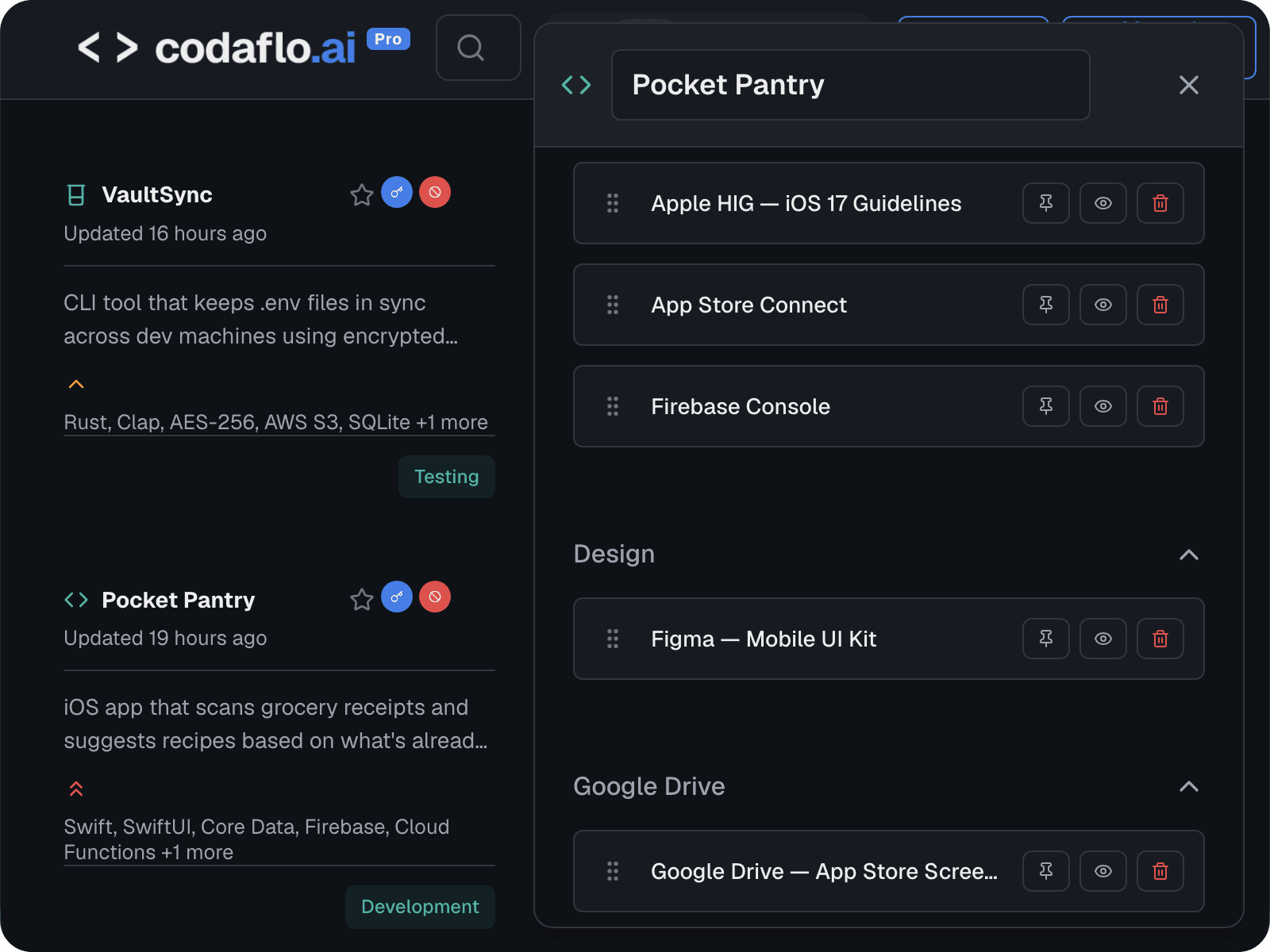
Centralized Link Repository
Every documentation link, design file, API reference, admin panel URL, and deployment endpoint associated with a project lives in one section. Add links once, access them forever.
Resource Categories
Organize links by type: PRDs, repositories, design files, documentation, API references, admin panels, deployment URLs, and more. Each category is clearly labeled and scannable.
Domain and Deployment Tracking
Store production URLs, staging URLs, API base URLs, and admin panel addresses directly in the project. No more hunting through browser history for your staging environment.
One-Click Access
Every link opens in one click. No searching through Chrome bookmark folders. No scanning through pinned Slack messages. The link you need is always exactly where you expect it.
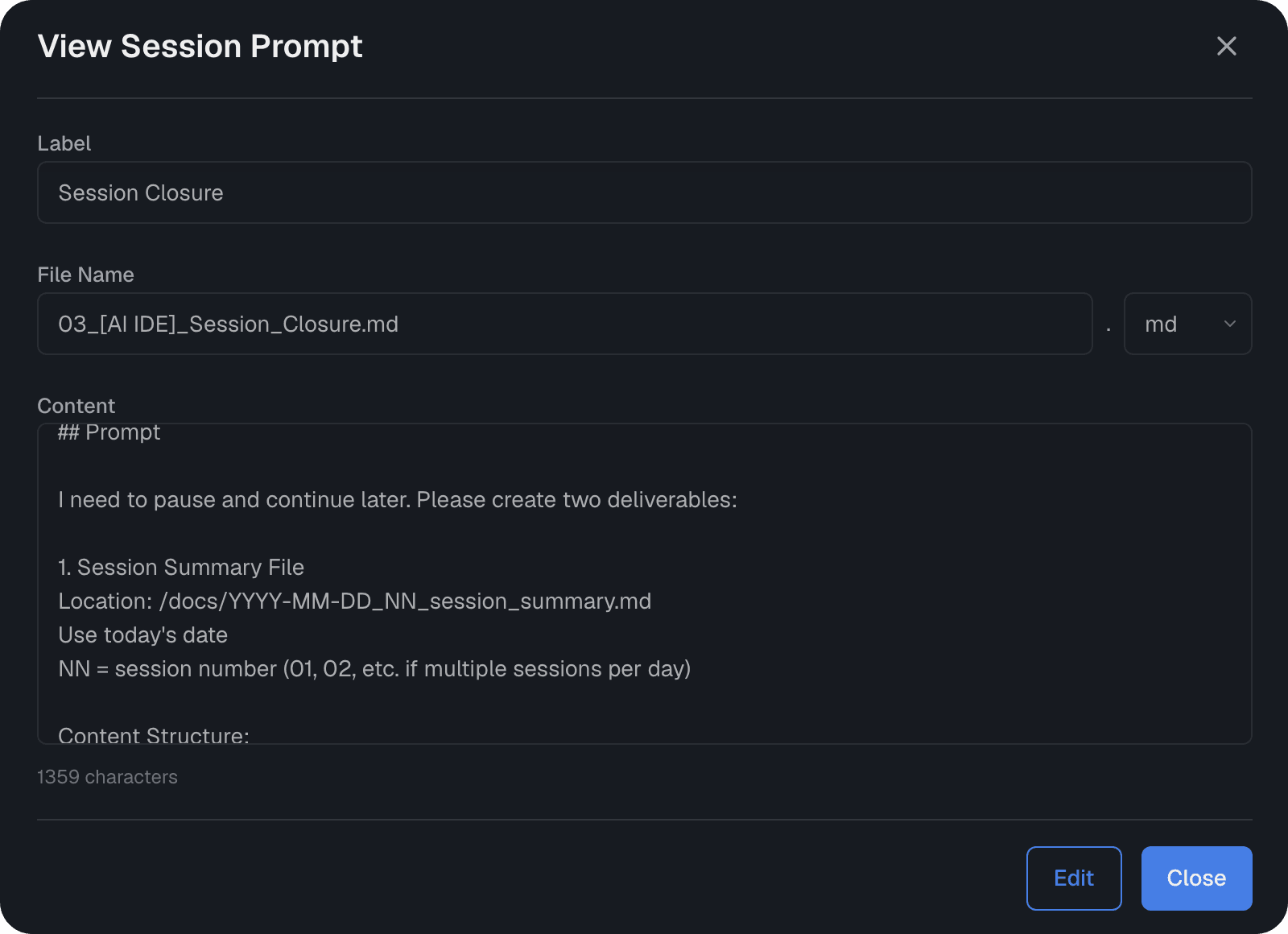
Session Continuity
You leave a project on Tuesday. You come back the following Monday. What were you working on? What was broken? What had you already tried? What was the next step? Without a system, you spend 30 minutes rebuilding context from memory, git log, and scattered notes. With session continuity, you spend 5.
Session Closure Summaries
At the end of each development session, store a structured summary of what you accomplished, what is still in progress, what blockers you hit, and what needs to happen next. The summary lives inside the project, not in a separate note app.
Continuation Prompts
Store the exact prompt you would need to hand to an AI coding assistant to resume your work. When you return to the project, the prompt is waiting. Paste it into Claude, Cursor, ChatGPT, or any tool you use. You are productive in minutes.
Session History
See the full history of development sessions for any project. Trace back what changed, when, and why. Useful for debugging regressions, understanding past decisions, and maintaining continuity across gaps of days, weeks, or months.
Works With Any Workflow
Session continuity is not tied to a specific AI tool or coding methodology. Whether you use Claude Code, Cursor, VS Code with Copilot, or no AI tools at all, the session data lives in codaflo.ai and is accessible whenever you need it.
Security You Can Trust
You are storing API keys, database passwords, OAuth tokens, and access credentials. Security is not optional. It is the foundation everything else is built on.
Security Promise
Your credentials are encrypted with the same standard used by banks and government agencies. We built codaflo.ai to be the one place you trust with your most sensitive project information.
Start Building with codaflo.ai
Start free2 projects free forever. No credit card required.